

1. Home
  2. Forums
  3. Filebase
    1. Featured Files
  4. Gallery
    1. Albums
  5. Guides
    1. SirenSetting Calculator
  6. Discord
  7. Accurate Studio
  • Login
  • Register
  • Search
Tools
  • Everywhere
  • Tools
  • Forum
  • Gallery
  • Files
  • Guides
  • More Options
  1. Modding Forum
  2. Filebase
  3. All Files
  4. Grand Theft Auto V
  5. Tools

dlclist AutoCompiler

  • RED-ITA
  • April 16, 2020 at 1:48 PM
  • 1k Downloads
  • 0 Comments
  • Download
  • Overview
  • Versions 1

"Do you use DLCs to install Add-On stuff? Try this"

Introducing the RED’s dlclist AutoCompiler
(the easiest to use)


GENERAL INFORMATIONS:
The scope of this mod here, is to simplify the way we install [Add-On] Vehicles, or [Add-On] folders in general.
Every single time that you will install and uninstall an [Add-On] folder, once run the .exe,
your new dlclist.xml file will be completely recompiled,
and you will find the new dlclist.xml into the same installation directory.
The Mod program is made in C++.


USAGE:
Did you had to reinstall your game, did you lose everything?
do you need a faster way to install all the vehicles you need for Traffic Plus+?
With this, you basically just need to put your [Add-On] folders into your dlcpacks
directory, go back to x64, run the .exe and your new dlclist.xml, will be ready for you!
you now don't need to write a new line in it whenever you install or uninstall something,
because the entire process is automatic.

CHANGELOG

1.0_ Initial release;

1.1_ Original DLCs are now added first then modded ones, and they'll be added following the original dlcpacks folder (outside the mods folder) and so, this DLCs will be added even if they're not in the modded dlcpacks directory.

Images

  • Screenshot(6).webp
    • 50.57 kB
    • 1,366 × 768
  • Version 1.1

    • RED-ITA
    • April 16, 2020 at 1:48 PM
    • 320.86 kB
    • 1029 Downloads

File Details

Credits
RED-ITA
Installation Instructions
1)
Open the File Filexplorer and navigate to:

Mods / Update / x64

here, drag'n drop the .exe file "RED's DlcListAutoCompiler.exe"

2)
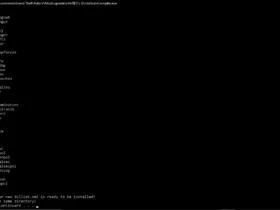
now, run it, and you'll find your new dlclist.xml into the same directory, ready to be installed.

(i suggest you to leave Open IV open before this process, so, at the end you'll just need to move a file).

3)
Close all, and you're done! Easy right?

BE ADVISED, THE .exe MUST BE IN THAT DIRECTORY!

About the Author

RED-ITA

Developer
Files 2 Images 18
  • Discord Server
  • Paypal
  • Patreon

More Files by RED-ITA

  • GTA V Traffic Plus+ Lore-Friendly, The Scenarios Update [Cargens | Scenarios | SP / FiveM]

    April 15, 2020 at 11:17 AM
    3.8k Downloads

Featured Files

  1. GTA V 2010 Ford Crown Victoria Police Interceptor - Blaine County Sheriff's Office (BCSO) - Slicktop and Unmarked

    Cj24
    December 24, 2023 at 7:40 AM
  2. GTA V Siren fixes

    KLE0
    April 3, 2025 at 2:04 AM
  3. GTA V 2014 Volkswagen Mk7 Golf GTI

    Kane104
    April 30, 2019 at 7:50 PM
  4. GTA V 2008 Ford Crown Victoria Police Interceptor SAP - Blaine County Sheriff's Office (BCSO) - Unmarked Detective

    Cj24
    December 24, 2023 at 7:55 AM
  5. GTA V Florida Highway Patrol FPIU - Unit 0354

    Jophics
    December 21, 2022 at 7:43 PM

Most Downloaded

  1. GTA V 2014 Volkswagen Mk7 Golf GTI – South African Police Service - Flying Squad

    Kane104
    14k Downloads
  2. GTA V 2013 Chevrolet Caprice PPV - Los Santos Sheriff’s Department

    Kane104
    8.3k Downloads
  3. GTA V Better License Plates

    Cj24
    7.3k Downloads
  4. GTA V Dynamic Lighting System

    TheMaybeast
    6.5k Downloads
  5. GTA V 2018 Dodge Charger - Los Santos Police Department (LSPD/LAPD) - Unmarked

    Cj24
    5.4k Downloads
  1. Terms Of Use
  2. Privacy Policy
  3. Legal Notice
  4. Contact
Powered by WoltLab Suite™